By using this site, you agree to the Privacy Policy and Terms of Use.
Accept
TechgoonduTechgoonduTechgoondu
  • Audio-visual
  • Enterprise
    • Software
    • Cybersecurity
  • Gaming
  • Imaging
  • Internet
  • Media
  • Mobile
    • Cellphones
    • Tablets
  • PC
  • Telecom
Search
© 2023 Goondu Media Pte Ltd. All Rights Reserved.
Reading: Snap open the screen to upgrade HP’s Z1 all-in-one workstation
Share
Font ResizerAa
TechgoonduTechgoondu
Font ResizerAa
  • Audio-visual
  • Enterprise
  • Gaming
  • Imaging
  • Internet
  • Media
  • Mobile
  • PC
  • Telecom
Search
  • Audio-visual
  • Enterprise
    • Software
    • Cybersecurity
  • Gaming
  • Imaging
  • Internet
  • Media
  • Mobile
    • Cellphones
    • Tablets
  • PC
  • Telecom
Follow US
© 2023 Goondu Media Pte Ltd. All Rights Reserved.
Techgoondu > Blog > Enterprise > Snap open the screen to upgrade HP’s Z1 all-in-one workstation
EnterprisePC

Snap open the screen to upgrade HP’s Z1 all-in-one workstation

Alfred Siew
Last updated: March 25, 2012 at 11:40 AM
Alfred Siew
Published: March 25, 2012
2 Min Read

You’ve seen the Apple iMac and other all-in-one PCs from HP, Acer and Dell make homes look a lot more stylish with their monolithic designs that integrate both screen and processing unit.

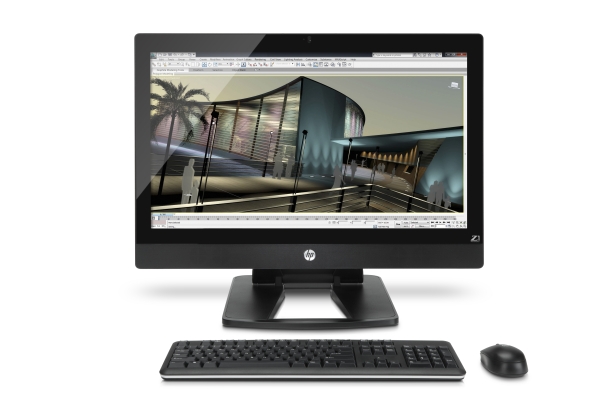
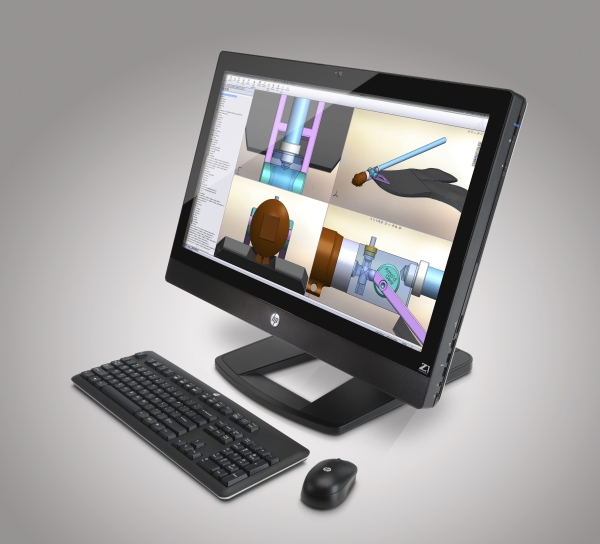
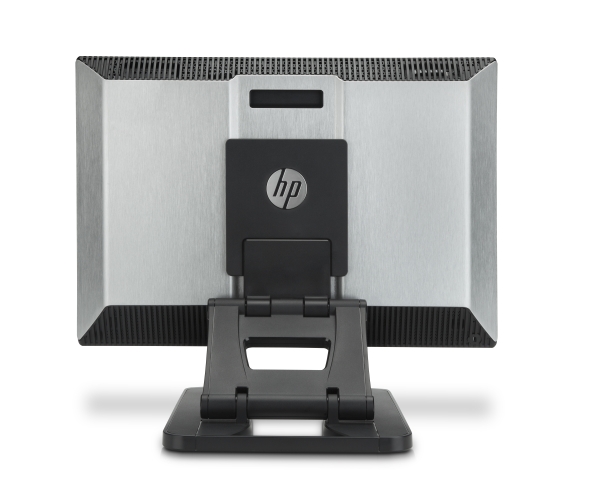
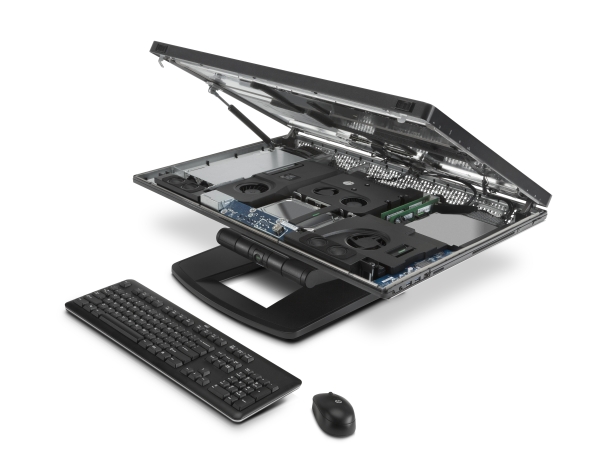
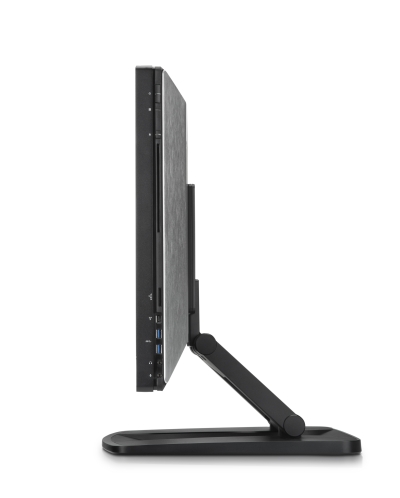
Now, your office can look as cool, while providing the needed oomph of a workstation machine. Say hi to HP’s new Z1 workstation PC that not only takes on the form of the consumer design, but also lets you snap open the screen to upgrade and replace components in the machine – something that all-in-ones never excelled in.

The new machine, showcased on Friday at HP’s ongoing regional workstation event, comes with what you’d expect for something aimed at graphics artists, videographers, architects and other folks who require the horsepower for their work.

Behind a large 27-inch display, you can opt to have a quad-core Intel Xeon processor, Nvidia Quadro graphics and speedy enterprise-grade hard drives spinning at 10K rpm (revolutions per minute).

These components are the kind of stuff that you won’t expect from an iMac or any consumer machine. And to satisfy the need for companies to upgrade – rather than buy new all the time – the snap-out screen offers an option against obsolescence. If you fancy adding more memory, for example, HP promises a tool-less maintenance for easy upgrades.

Now, who says work machines need to be boring?
Q&A: Cloud customers have to be responsible for cyber security too, says Barracuda Networks
Trend Micro: Singapore users more reliant on cloud despite security concerns
Biggest Computex show in years as Taiwan once again at centre of innovation
Imperva opens network, security ops centre in Singapore to boost Asia-Pacific presence
Five surprising benefits of network visualisation
TAGGED:all-in-oneHPiMacIntel XeonNvidia QuadroworkstationZ1

Sign up for the TG newsletter

Never miss anything again. Get the latest news and analysis in your inbox.

By signing up, you agree to our Terms of Use and acknowledge the data practices in our Privacy Policy. You may unsubscribe at any time.
Share This Article
Facebook Whatsapp Whatsapp LinkedIn Copy Link Print
Avatar photo
ByAlfred Siew
Follow:
Alfred is a writer, speaker and media instructor who has covered the telecom, media and technology scene for more than 20 years. Previously the technology correspondent for The Straits Times, he now edits the Techgoondu.com blog and runs his own technology and media consultancy.
Previous Article Goondu review: Mass Effect 3 (and the wrath of fans)
Next Article Commentary: Singapore viewers to pay S$58 for Euro 2012, in first “cross carriage” deal
2 Comments

Leave a Reply Cancel reply

This site uses Akismet to reduce spam. Learn how your comment data is processed.

Stay Connected

FacebookLike
XFollow

Latest News

Are M1, Doctor Anywhere and others doing enough to help users after a data breach?
Cybersecurity
November 7, 2026
Seeking AI ROI? How a Bangkok hospital and an Australian tile firm made it work
Enterprise
November 6, 2026
DIY: Fancy an always-on sidekick? Run your own AI agents on an Asus Agent Computer
PC
November 5, 2026
New Agoda AI assistant promises simpler travel planning in “one conversation”
Internet Software
November 3, 2026

Techgoondu.com is published by Goondu Media Pte Ltd, a company registered and based in Singapore.

.

Started in June 2008 by technology journalists and ex-journalists in Singapore who share a common love for all things geeky and digital, the site now includes segments on personal computing, enterprise IT and Internet culture.


							banner							
							banner
Everyday DIY
PC needs fixing? Get your hands on with the latest tech tips
READ ON

							banner							
							banner
Leaders Q&A
What tomorrow looks like to those at the leading edge today
FIND OUT

							banner							
							banner
Advertise with us
Discover unique access and impact with TG custom content
SHOW ME


POWERED BY READYSPACE
The Techgoondu website is powered by and managed by Readyspace Web Hosting.

TechgoonduTechgoondu
© 2026 Goondu Media Pte Ltd. All Rights Reserved | Privacy | Terms of Use | Advertise | About Us | Contact
Follow Us!
Hear the signal from the noise. Essential tech analysis from our Reality Check newsletter.

Zero spam. Unsubscribe at any time.
Loading Comments...
Welcome Back!

Sign in to your account

Username or Email Address
Password

Lost your password?