When the Vivo X300 Pro was launched in October in Shanghai, it looked like another flagship with a familiar face. Now that the Singapore version is out, I’ve had the chance to take a deeper look at what promises to be a photography powerhouse.
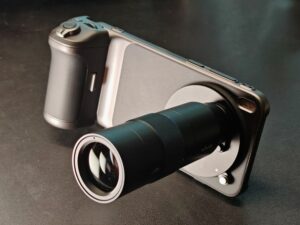
Vivo is clearly targeting users who want powerful photography tools – the new phone offers a practical system that works with the telephoto extender kit, first introduced with the X200 Ultra. This makes it stand out despite its conservative design.
The glass back feels more practical than premium, but this is fine since you’d likely to put on a fancy case. The phone measures 161.98 by 75.48 by 7.99mm and weighs 226 grams. It is slightly thicker than some of its rivals but the extra thickness improves grip and makes the phone easier to hold for long periods.
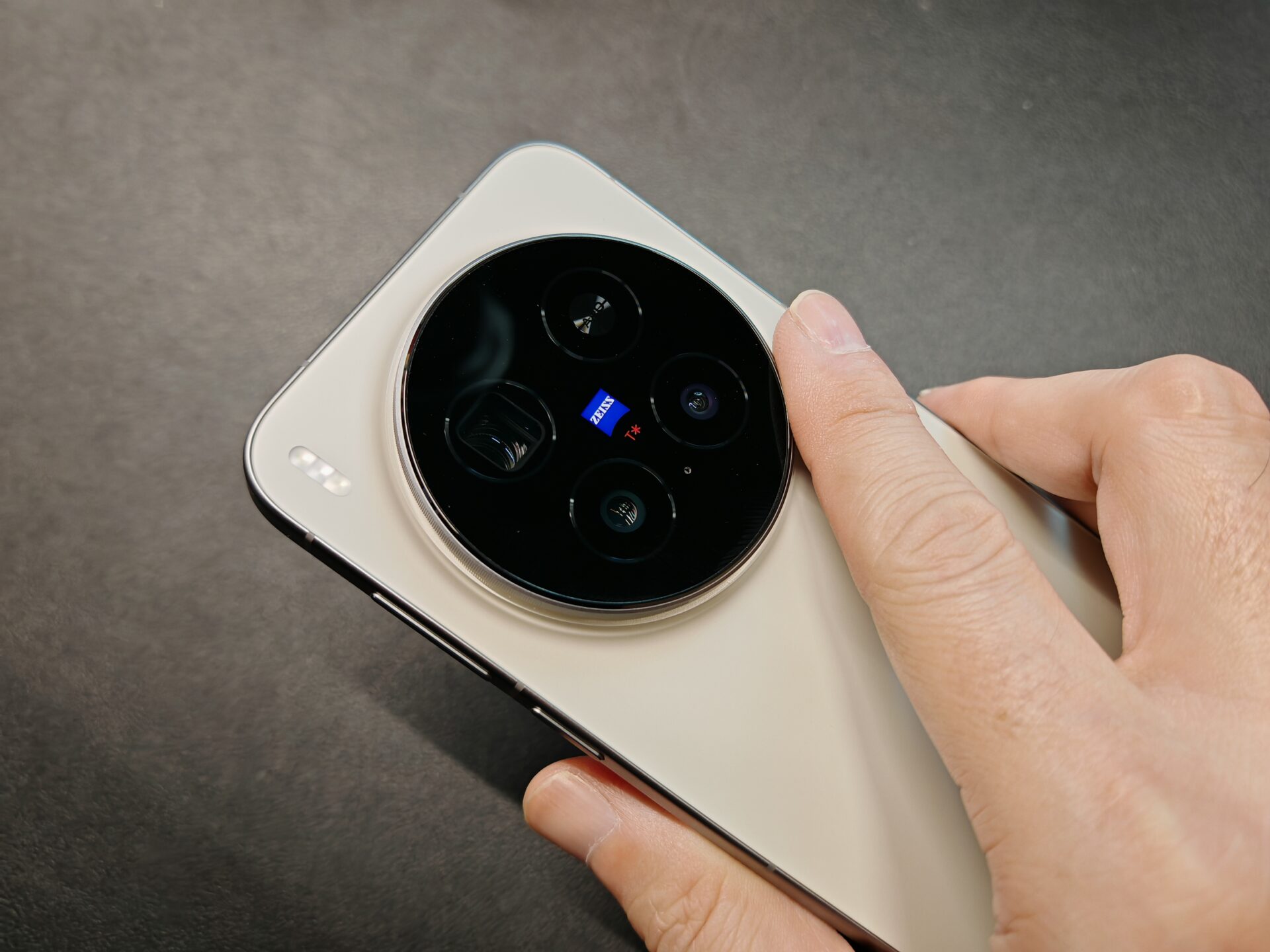
Like it or not, the large camera bump is a key part of the design. It holds a 50-megapixel camera with a 1/1.28-inch main sensor, as well as a 200-megapixel 1/1.4-inch zoom camera. There are also a 50-megapixel ultrawide camera, and a 50-megapixel front camera, both with 1/2.76-inch sensors.
The circular module has ridged details that look like the markings on a watch or the grip on a camera lens ring. The phone sits flat on the table with no wobble, and the bump gives a natural resting point for the index finger.
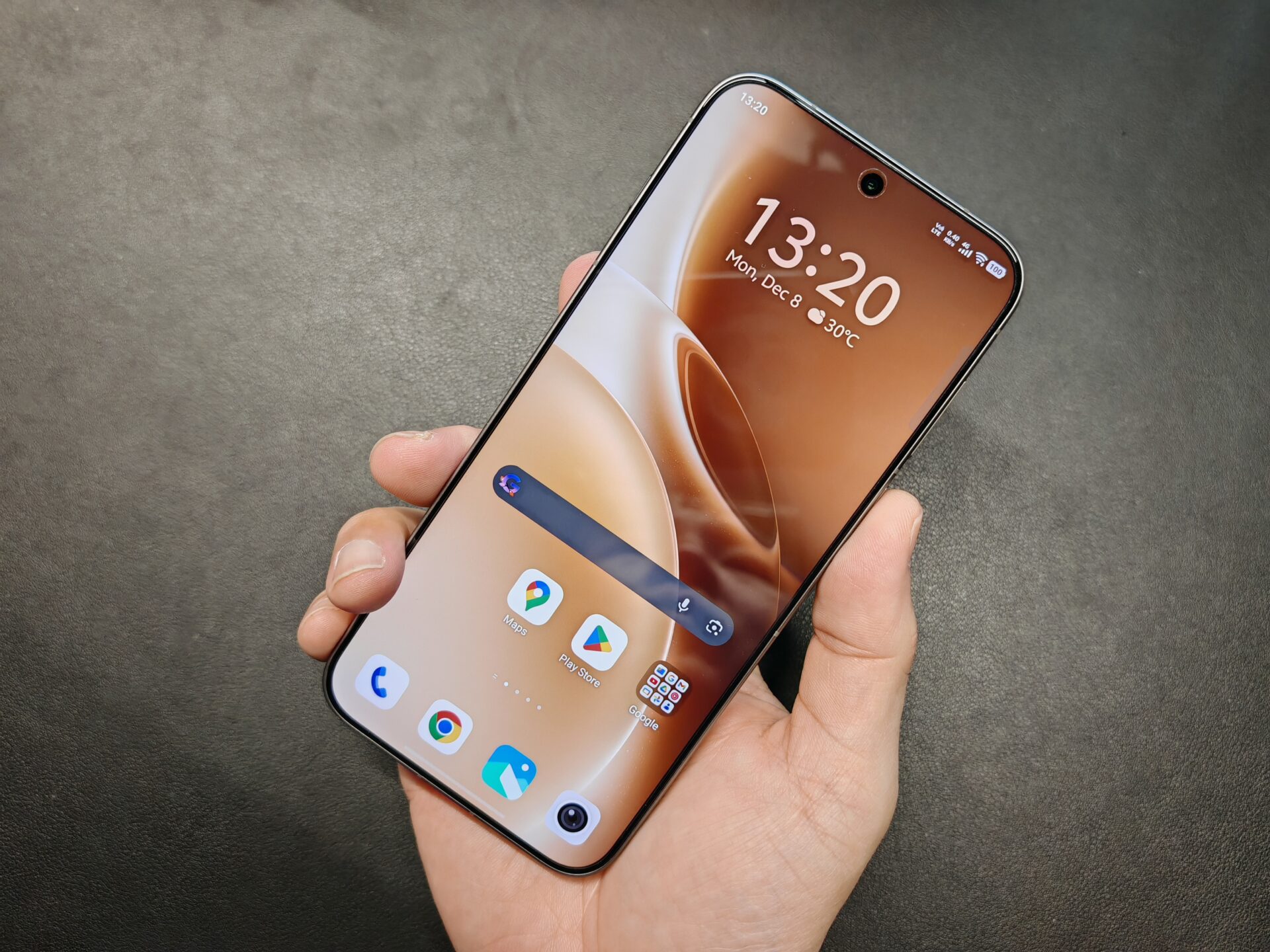
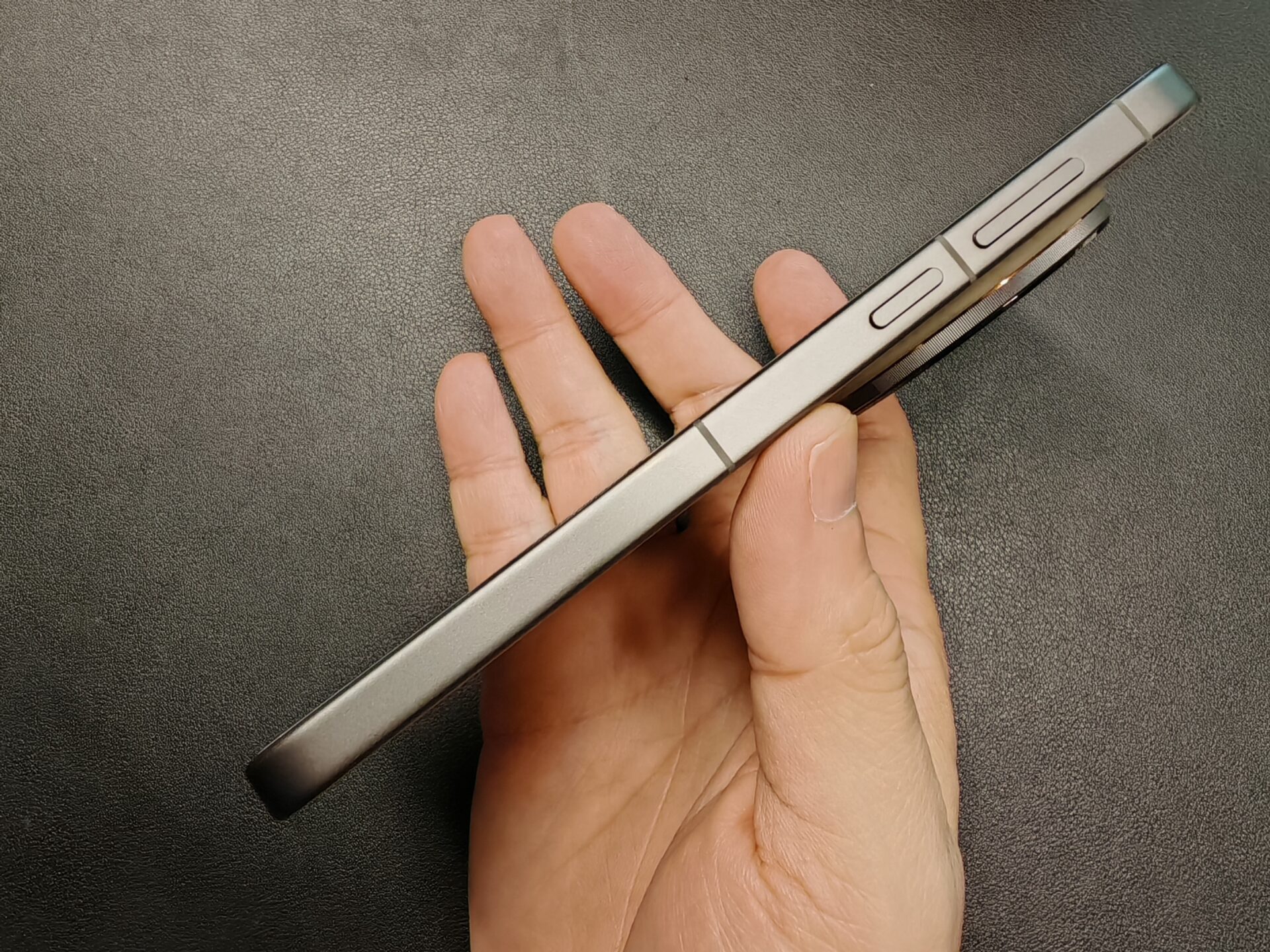
A small Shortcut button sits in the top left corner and works like the Oppo Snap Key. You can assign it to launch the camera, flashlight, Notes app, recorder, transcription tool, notifications or any app you need quick access to. The phone also offers IP68 and IP69 protection, a useful feature for shooting outdoors in dusty or rainy conditions.
Inside, the Oppo X300 Pro comes with 512GB of storage, 16GB of RAM and a MediaTek 9500 processor that handles online games such as Call of Duty smoothly. The 6.78-inch AMOLED screen peaks at 4500 nits, making it bright even under strong daylight.
The 6510mAh battery lasts close to two days with light use and supports 90-watt wired and 40-watt wireless charging. It is not the largest battery in its class, but it comfortably lasts through a full day of heavy use.
The photography system is where the Vivo X300 Pro pulls ahead from the other flagships. The phone includes a special case that allows you to attach a camera grip, a telephoto extender, or a Neutral Density filter for long-exposure fireworks shots.
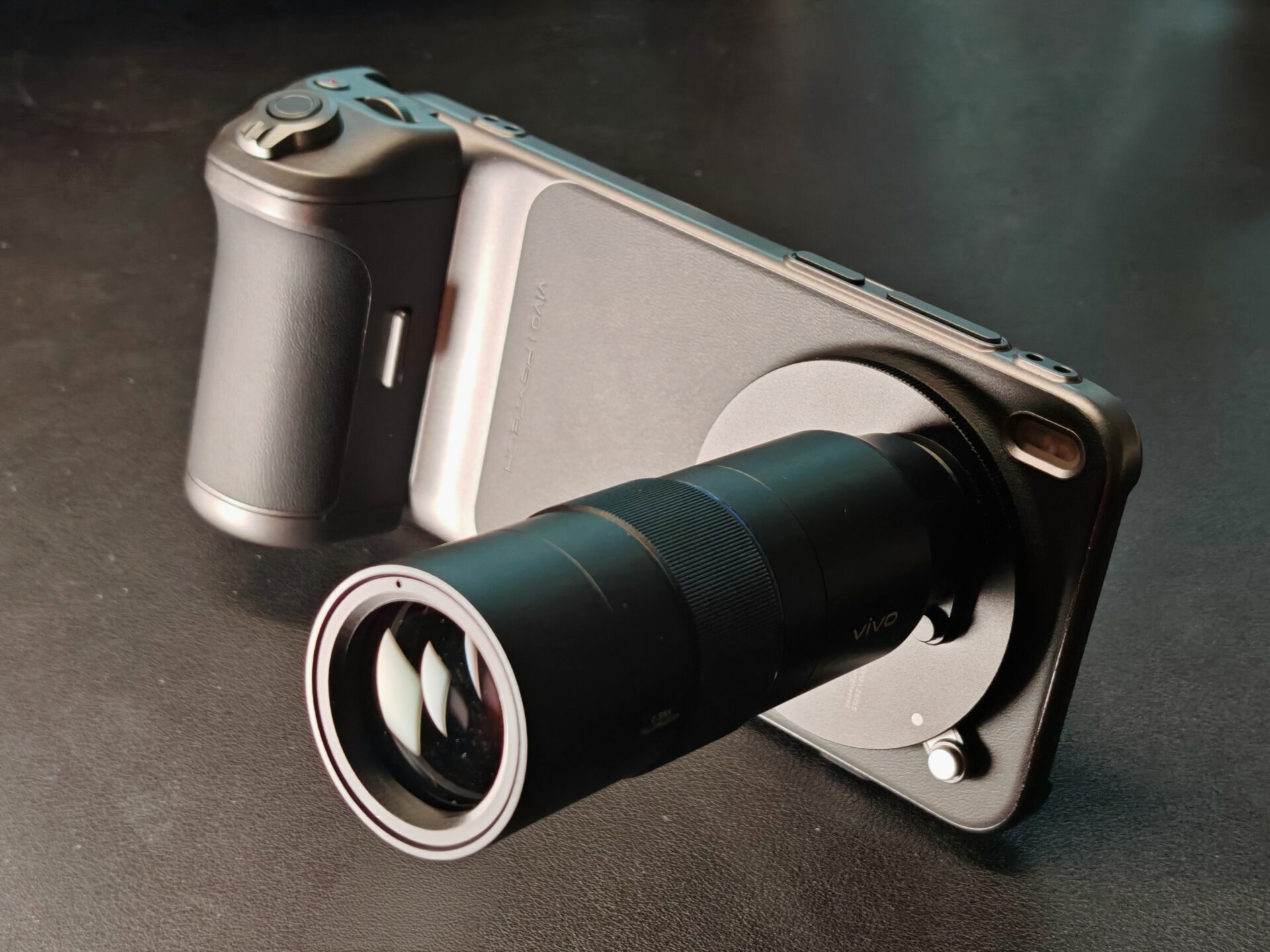
The grip packs a shutter button, zoom lever and an exposure-compensation dial, giving mobile shooters the kind of tactile control usually found on dedicated cameras.
Its Pgytech mounting system slots neatly into the phone’s USB-C port and locks the grip securely in place, offering a reassuringly stable hold for both photo and video taking. While the shutter response is generally snappy, a bit of lag occasionally creeps in when paired with the telephoto extender, taking some shine off an otherwise excellent accessory.
With the telephoto extender, the phone behaves much like a compact camera with greater reach. The AI sharpening keeps the images crisp as long as you don’t push the zoom too far. The overall shooting experience becomes more challenging, especially when framing small or distant subjects like a jungle fowl perched on a tree branch.


Once the extender is attached to the phone, it blocks the other cameras and will appear prominently in their views. You will need to remove it before switching to those lenses, and that extra step can easily cost you the moment you are trying to capture. That said, once you nail the shot, the result is very impressive.
The camera app interface looks different from other makers. Landscape and Night mode capture several frames with varying exposures and merge them to reduce noise. This helps when shooting night street scenes.
Night mode does brighten scenes more than real life and colours can be more saturated, so results depend on your preference. Snapshot mode is meant for capturing fast action but feels redundant and could be merged with the main camera interface.



Image quality is strong across different lighting conditions. Colours stay close to natural tones, while phones like the Oppo Find X9 Pro and Honour Magic 8 Pro tend to produce warmer results.
Portrait mode is enjoyable to use and reminds me of older Huawei and Leica bokeh styles. The blur effect can be heavy handed, so it is better when used sparingly. White balance is excellent, exposure is steady and colours remain accurate.
Some shots may appear slightly muted, but they reflect the scene faithfully. Saving images in DNG RAW format is helpful if you prefer to adjust the look later using Adobe Lightroom or Photoshop for Android.
For video work, the X300 Pro has a good stabilisation system that reduces camera shake without the need for a gimbal. Zooming in and out is smooth, and the grip makes it easier to make small adjustments during recording.
The phone can record in 4K at 60 frames per second for a more fluid-looking clip or at 120 fps for slow-motion capture. It does warm up during longer shoots so look out for any issues if you need to shoot longer clips.



At S$1,599, the Vivo X300 Pro is a strong option for photography and video enthusiasts. The full photography kit – costing S$249 for the telephoto extender and S$179 for the grip – does push up the overall cost, which may give some buyers pause.
Still, the system delivers genuine value for users who depend on robust imaging tools but want to keep their setup light and portable. Paired with the photography kit, the X300 Pro offers a compelling proposition, even compared to premium compact cameras like the S$1,679 Sony RX100 VII.
Available in brown or black, the new Vivo phone comes surprisingly close to replacing a compact camera. For anyone seeking a smartphone that also behaves like a capable pocketable camera, it hits the mark.