If you want a compact yet powerful machine that plays the latest games smoothly while running demanding tasks like video editing, then the S$6,000 Asus ROG NUC 16 is a solid – if expensive – PC that you would be looking at.
With Asus’ ROG (Republic of Gamers) branding, you’re right to see this as a gamers-first machine. It’s larger than your average NUC PC, but it’s still compact for the serious hardware it packs, which includes an Nvidia RTX 5080 graphics processing unit (GPU) for our review unit.
The hardware, as you’ve guessed, also makes this PC a strong candidate for photographers and videographers who want desktop power without a bulky tower.
For creators who move between editing desks, living room setups and occasional remote work, the idea of a chassis roughly the size of a photo album delivering desktop-class performance is attractive.
The real question is whether this gamer-focused mini PC can function as a practical creative workstation without the usual small form factor compromises.
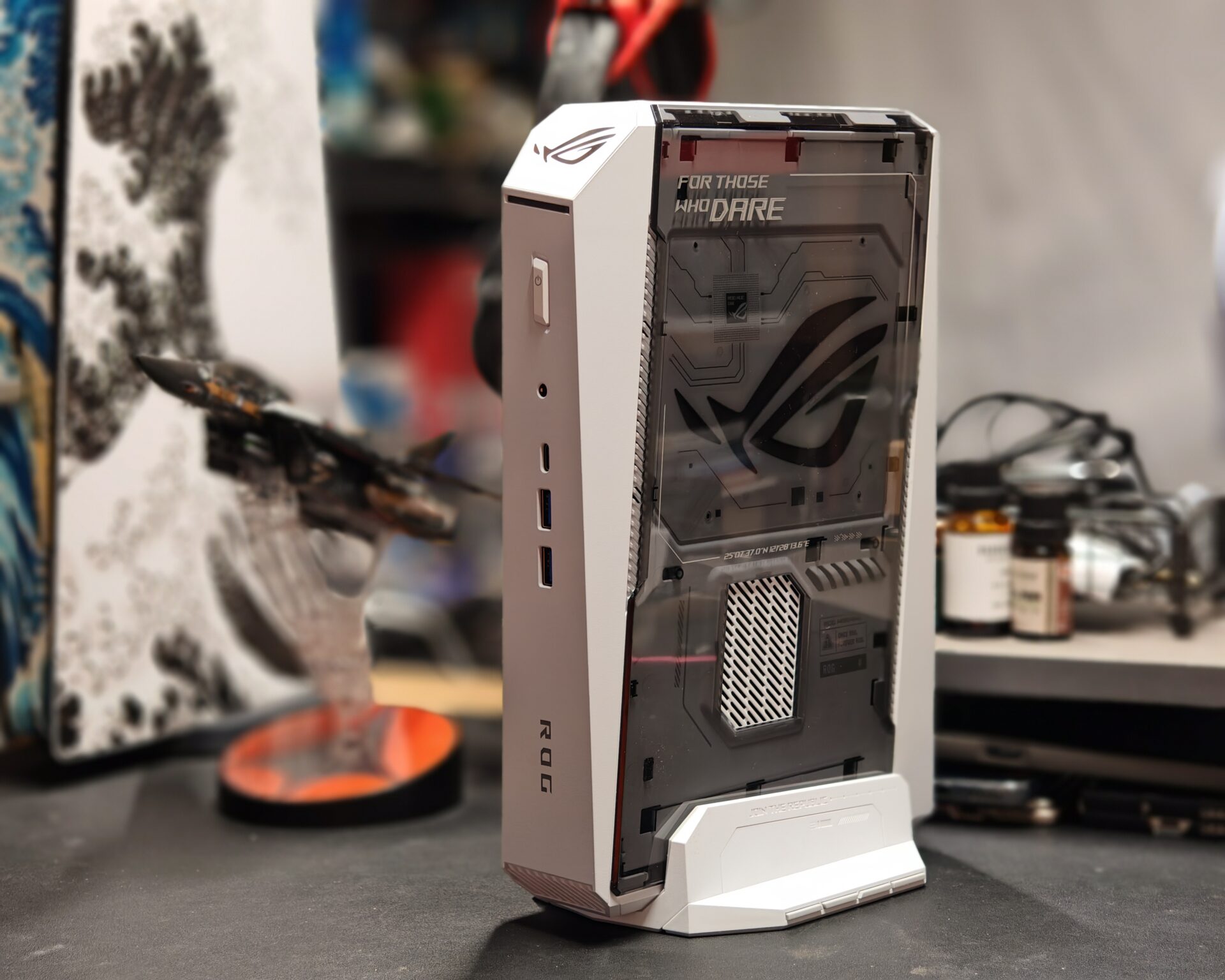
Measuring 282.4 x 189.5 x 56.5mm, with the stand increasing its base height to 146mm, the Asus ROG NUC 16 is undeniably compact. At 3.12kg, it is heavier than many mini PCs but still easy to shift between a primary editing desk and a secondary workspace.
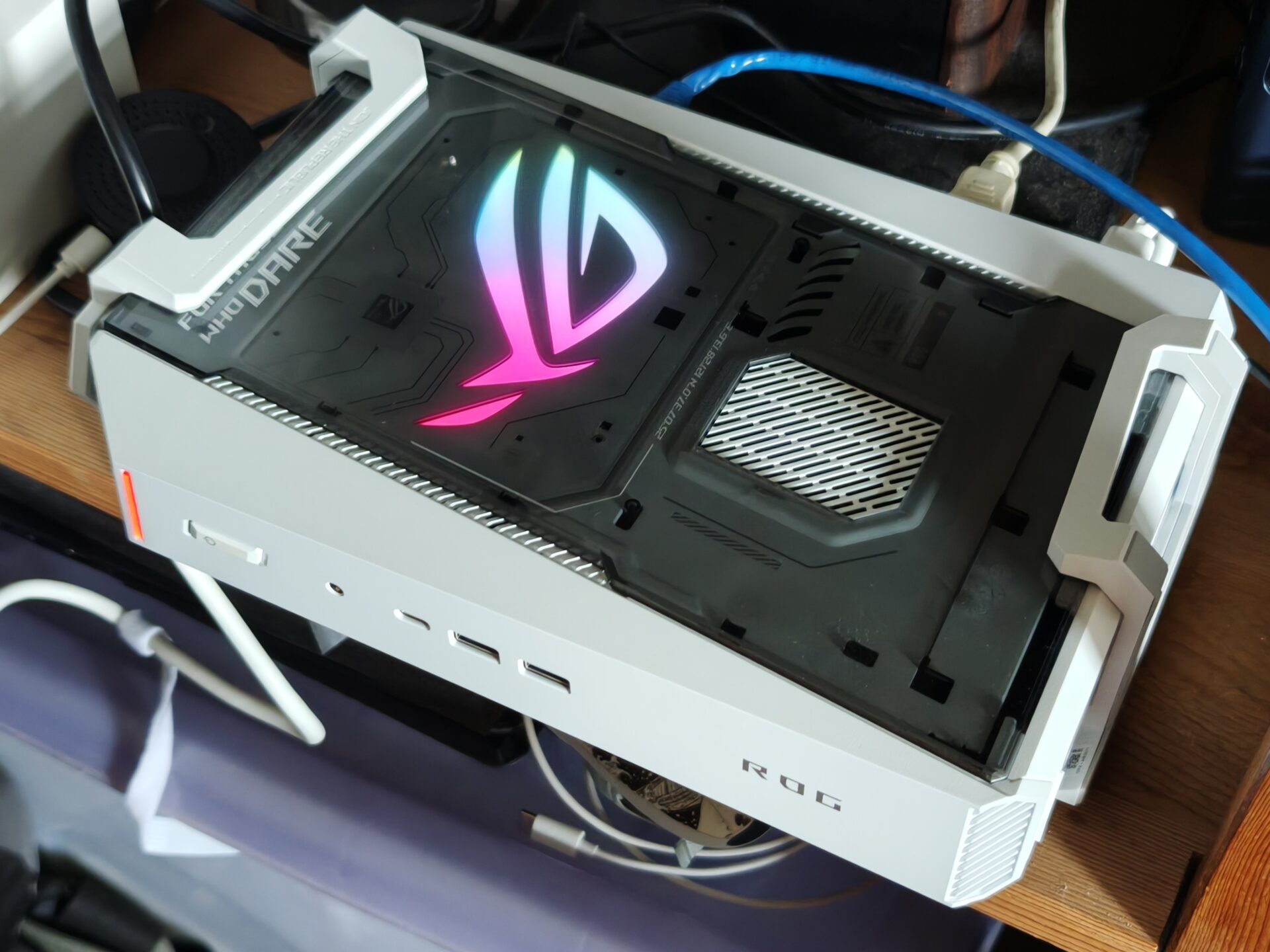
The removable stand allows vertical or horizontal placement, a detail that matters more than expected. Horizontally, it tucks neatly under a monitor. Vertically, it frees up valuable desk space.
The high-quality plastic chassis gives the ROG NUC 16 a more serious appearance than a typical gaming desktop, especially once the lighting effects are switched off.
Build quality feels solid, and the tool-less design for internal access is a welcome touch. Memory and storage are the two areas where creators often want to upgrade later, and being able to open the system without tools makes future tweaks straightforward.
The review unit we got from Asus is equipped with an Intel Core Ultra 9 290HX Plus processor, an Nvidia GeForce RTX 5080 laptop GPU and 32GB of DDR5 memory, expandable to 128GB. Storage is handled through two M.2 NVMe slots, one Gen 4 and one Gen 5, with a single 1TB NVMe M.2 solid state drive (SSD) occupying the main Gen 5 slot in this configuration.
On paper, this is more than enough hardware for demanding photo and video workflows, especially when switching between editing applications, running background exports and managing large libraries.
Synthetic benchmarks provide a useful early indicator of how that performance translates into real-world use. In PCMark 10, the ROG NUC 16 scores 9,903, a solid result that points to strong everyday performance across office tasks, Web browsing and mixed creative workflows.
Geekbench 7 results show 2,689 in single-core and 23,602 in multi-core tests. The single-core figure matters for tasks that depend on fast per-core performance, such as certain photo editing operations, layer-heavy compositing and general interface responsiveness. The multi-core score indicates the system can handle heavily threaded workloads like video encoding, batch processing of RAW files and timeline rendering without choking.
Geekbench AI tests offer a glimpse into how the hardware handles AI tasks, which are increasingly embedded in photo and video software for upscaling, denoising, subject detection and intelligent masking.
Using the ONNX AI framework, the system scores 7,052 in single precision, 2,544 in half precision and 11,379 in the quantised score. With OpenVino, the scores are 9,159, 9,785 and 17,220 respectively. These numbers suggest meaningful capacity for local AI workloads, which can reduce reliance on cloud processing and speed up repetitive editing tasks.
In 3DMark Time Spy, the ROG NUC 16 achieves an overall score of 21,005, with a graphics score of 21,986 and a CPU score of 16,768. This confirms that the discrete Nvidia graphics processor provides substantial headroom for GPU-accelerated applications and modern games.
For a content creator, this translates into smoother playback in editing timelines, faster effects processing in applications like Adobe Premiere Pro and DaVinci Resolve, and more comfortable handling of high-resolution footage, including 4K projects and some 8K workflows.
Small gaming desktops often struggle with heat because powerful components are packed into a restricted space. Asus addresses this with a cooling system that uses three fans and a dual vapour chamber, along with what it describes as 12 per cent greater CPU thermal coverage than the previous generation.
More importantly for creators, Asus states that the ROG NUC 16 operates at just under 38dBA under full workloads. In real-world use, the system should be quiet enough for voiceover recording, desk-based video capture and long editing sessions without constant and loud fan noise intruding into your work.
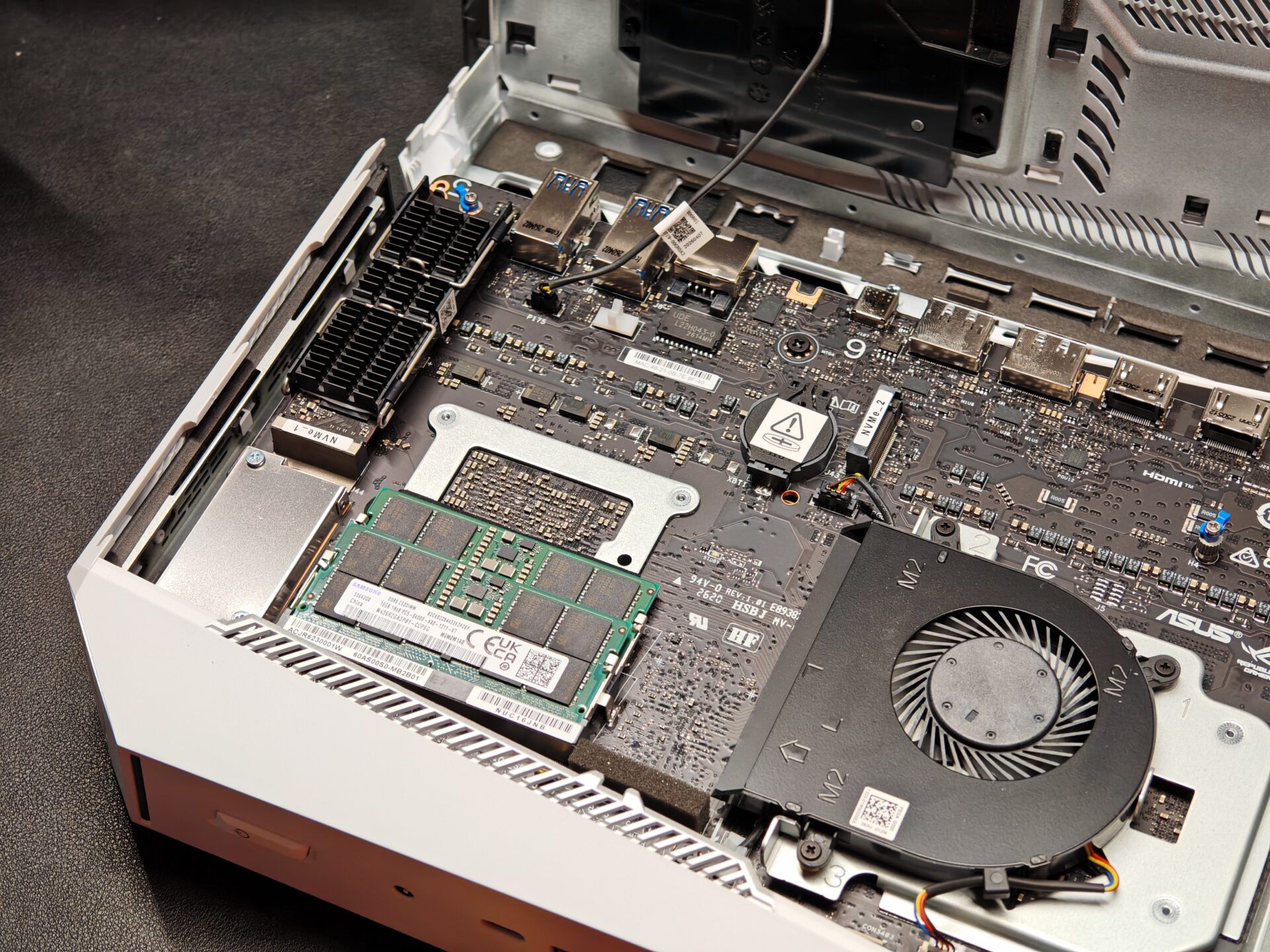
Asus has equipped the system with a 1TB SSD in some configurations, which is reasonable for the operating system, applications and a few games. For serious photo and video work, though, 1TB can fill up quickly, especially when working with large RAW files and high-bitrate footage. Planning for additional external storage is essential.
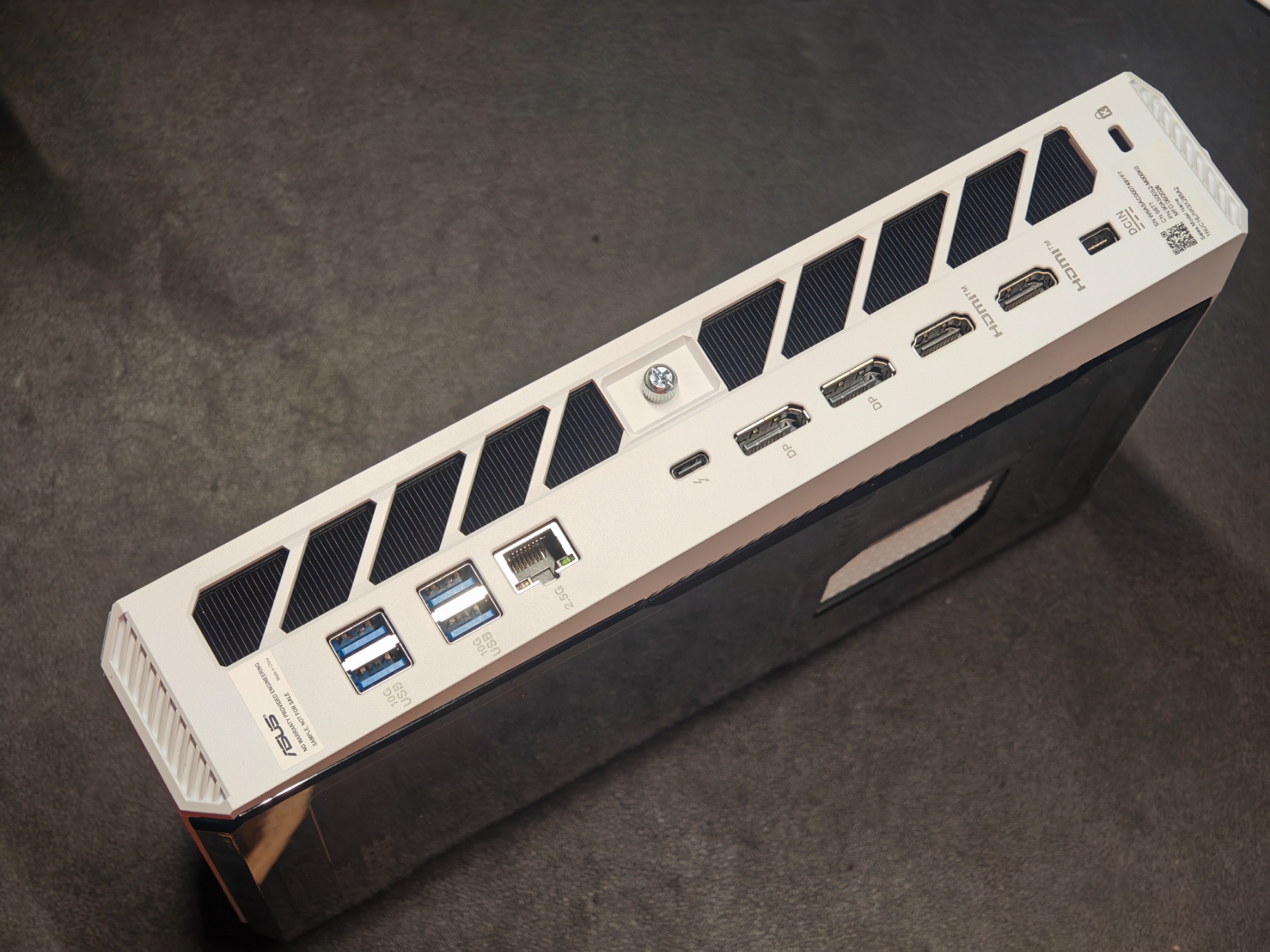
Thunderbolt 4 provides a high-speed connection for fast external SSDs, docks and compatible displays, making it straightforward to build a compact editing setup around the ROG NUC 16.
A fast external drive can hold active video projects while another is dedicated to backup. For longer-term archives, network-attached storage remains a practical choice, especially with the 2.5G Ethernet port enabling faster transfers over a local network. The Asus ROG NUC 16 also includes Wi-Fi 7 and Bluetooth 5.4 for remote work and linking wireless peripherals.
Connectivity is another area where the ROG NUC 16 leans into creator needs. The rear panel includes one Thunderbolt 4 port, four USB 3.2 Gen 2 Type-A ports, two HDMI 2.1 ports and two DisplayPort 2.1 ports. This is more than enough for a multi-display setup, which many photographers and videographers rely on for timeline work, reference monitors and tool panels.
For users who prioritise portability and a compact setup, the ROG NUC 16 makes a lot of sense, but the current setup will cost S$5,999 and the trade-off is expandability.
Note that you could save another S$1,000 by downgrading the GPU to a GeForce RTX 5070 Ti or opt for the lowest spec machine with Intel Core Ultra 7 270HX, RTX 5060 GPU and 16GB of RAM at S$3,599.
As for our review unit, the Asus ROG NUC 16 is still very much a compact specialist system rather than a direct replacement for an expandable desktop tower.
It does pack enough muscle to play the latest games and handle some AI workloads with its beefy hardware, though you can’t swap in and out components like a regular, larger PC.
For photographers and videographers who value a small footprint, quiet operation and strong GPU performance in a single machine, it is a compelling option that bridges gaming and creative work without forcing a compromise between the two.
A conventional desktop tower offers considerably more room for future upgrades, additional storage, larger graphics cards and more powerful cooling solutions. However, if you want the performance, not the size, the Asus ROG NUC 16 may be what you’ve been looking for.